ARTIST Tutorial: Distributed Ray Tracing
Note
You can find the corresponding Python script for this tutorial here:
https://github.com/ARTIST-Association/ARTIST/blob/main/tutorials/02_heliostat_raytracing_distributed_tutorial.py
This tutorial demonstrates how to set up a distributed environment and perform distributed ray tracing in ARTIST.
It is recommended that you are already familiar with the following processes in ARTIST:
How to load a scenario,
aligning heliostats, and
performing heliostat ray tracing to generate a flux density image on a target area.
If you need help with these topics, check our tutorial on heliostat raytracing.
Initial Setup
ARTIST is designed for parallel computation. To enable parallelization even when considering different types of
heliostats with different kinematics and actuator configurations, we use HeliostatGroups. Detailed information on
heliostat groups and how ARTIST is structured can be found in the description of
what is happening under the hood.
Before proceeding, we need to determine how many heliostat groups are present in the scenario:
number_of_heliostat_groups = Scenario.get_number_of_heliostat_groups_from_hdf5(
    scenario_path=scenario_path
)
During distributed ray tracing, the heliostat tracing process can be distributed and parallelized using distributed data parallelism in PyTorch. When using DDP, not only can the heliostat groups be processed in parallel, but the data samples within each group can also be handled in parallel. We will see how this works in more details later in the tutorial.
The Distributed Environment
Before we start the actual ray tracing, we need to set up the distributed environment. Based on the available devices, the
environment is initialized with an appropriate communication backend. For computation on GPUs, we use the nccl
backend optimized for NVIDIA GPUs. For computation on CPUs, gloo is used as backend. All of this setup is handled
automatically via:
with setup_distributed_environment(
    number_of_heliostat_groups=number_of_heliostat_groups,
    device=device,
) as ddp_setup:
Note
The rest of the tutorial takes place within this with block. This ensures that the distributed environment
remains active during execution and is automatically cleaned up afterwards. The dictionary ddp_setup contains
all parameters related to the distributed environment.
Mapping between Active Heliostats, Target Areas and Incident Ray Directions
ARTIST offers the flexibility to activate and deactivate certain heliostats in the scenario. This makes it possible
to have some heliostats aim at one target area while others aim elsewhere, or to use different incident ray directions
for different heliostats in the same alignment and ray tracing process for calibration tasks. To map each heliostat to
its designated target area and incident ray direction, we use the following mapping structure:
heliostat_target_light_source_mapping = [
    ("heliostat_1", "target_name_2", incident_ray_direction_tensor_1),
    ("heliostat_2", "target_name_2", incident_ray_direction_tensor_2),
    (...)
]
As we want to consider all heliostats in this tutorial, we set our mapping to None:
heliostat_target_light_source_mapping = None
It is still possible to set a specific default target area index and a default incident ray direction later. If these are not provided, all heliostats are assigned to the first target area found in the scenario with an incident ray direction of “north”, i.e., the light source position is directly in the south.
Distributed Raytracing
Before we can start distributed ray tracing, we need to set the resolution of the generated bitmap and create a tensor to store the final result:
bitmap_resolution = torch.tensor([256, 256])

combined_bitmaps_per_target = torch.zeros(
    (
        scenario.target_areas.number_of_target_areas,
        bitmap_resolution[indices.unbatched_bitmap_e],
        bitmap_resolution[indices.unbatched_bitmap_u],
    ),
    device=device,
)
Now the heliostat groups come in to play. Each heliostat group must be considered separately – in a distributed
setting, these groups can be computed in parallel; otherwise, they are processed sequentially. Therefore, the entire
distributed ray tracing process takes place within a for loop:
for heliostat_group_index in ddp_setup["groups_to_ranks_mapping"][
    ddp_setup["rank"]
]:
    heliostat_group = scenario.heliostat_field.heliostat_groups[
        heliostat_group_index
    ]
Within this loop, the first step is to determine which heliostats are activated and which target areas are used. This is
done using the heliostat_target_light_source_mapping defined earlier:
(
    active_heliostats_mask,
    target_area_indices,
    incident_ray_directions,
) = scenario.index_mapping(
    heliostat_group=heliostat_group,
    string_mapping=heliostat_target_light_source_mapping,
    device=device,
)
We then activate the heliostats as in the previous tutorial on single heliostat ray tracing:
# For each index, 0 indicates a deactivated heliostat, 1 indicates an activated one.
# An integer greater than 1 means the heliostat at this index is considered multiple times.
heliostat_group.activate_heliostats(
    active_heliostats_mask=active_heliostats_mask, device=device
)
and align the surfaces for all activated heliostats with the incident ray direction:
heliostat_group.align_surfaces_with_incident_ray_directions(
    aim_points=scenario.solar_tower.get_centers_of_target_areas(
        target_area_indices, device=device
    ),
    incident_ray_directions=incident_ray_directions,
    active_heliostats_mask=active_heliostats_mask,
    device=device,
)
Now we are ready to create a distributed HeliostatRayTracer. Here, it is important to provide the overall number of
processes world_size, the individual process ID rank, the batch_size, and a random_seed:
ray_tracer = HeliostatRayTracer(
    scenario=scenario,
    heliostat_group=heliostat_group,
    world_size=ddp_setup["heliostat_group_world_size"],
    rank=ddp_setup["heliostat_group_rank"],
    batch_size=heliostat_group.number_of_active_heliostats,
    random_seed=ddp_setup["heliostat_group_rank"],
    bitmap_resolution=bitmap_resolution,
)
In this tutorial, the batch_size is equal to the number of active heliostats. It determines how many heliostats are
handled in parallel within a group’s ray tracing process. If the number of active heliostats is high and your GPUs do
not have enough memory capacity, reduce the batch_size to prevent CUDA out of memory errors during runtime.
However, this increases runtimes as the batches within each group are computed sequentially (while heliostats within
each batch are handled in parallel).
We can now perform ray tracing per heliostat with trace_rays():
bitmaps_per_heliostat, _, _, _ = ray_tracer.trace_rays(
    incident_ray_directions=incident_ray_directions,
    active_heliostats_mask=active_heliostats_mask,
    target_area_indices=target_area_indices,
    device=device,
)
Consider an example scenario of two heliostat groups with two heliostats each in a distributed environment with three processes:
Group 0:
AA28,AC43Group 1:
AA31,AA39
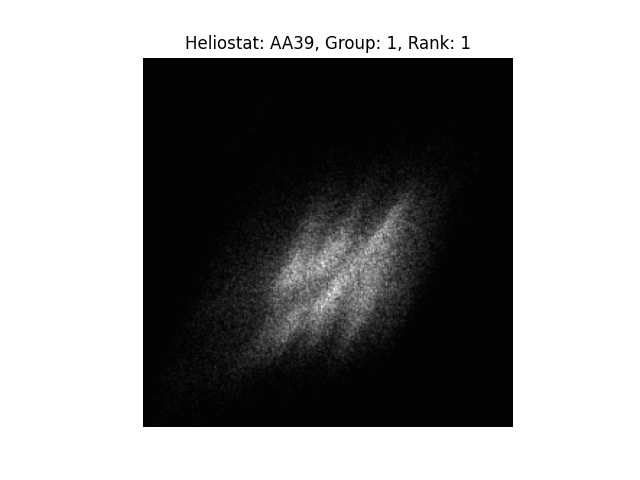
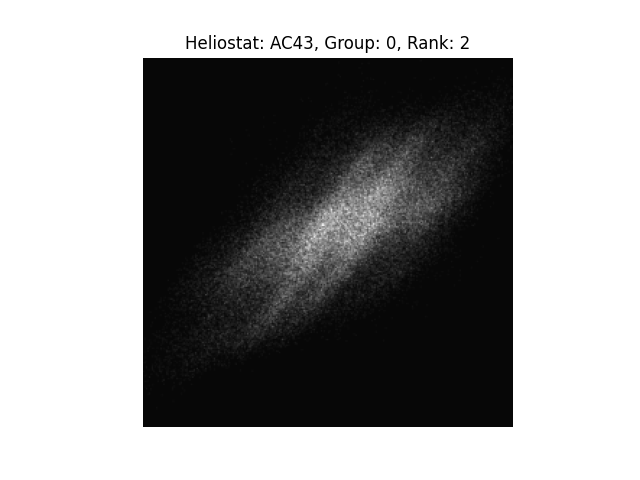
The world_size is 3, corresponding to ranks 0, 1, and 2. Ranks are distributed among groups in a round-robin
fashion: Group 0 is computed on ranks 0 and 2, while group 1 is computed on rank 1. Since group 0 has two ranks
available, it can perform nested parallelization. Heliostat 0 of group 0, named AA28, is handled by rank 0, and
heliostat 1 of group 0, named AC43, is handled by rank 2. Group 1 has two heliostats but only one rank assigned,
thus nested parallelization is not possible.
The trace_rays() method produces bitmaps per heliostat.
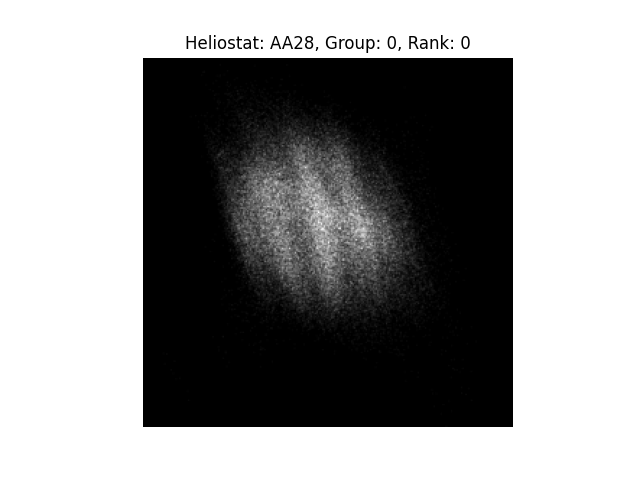
Rank 0 |
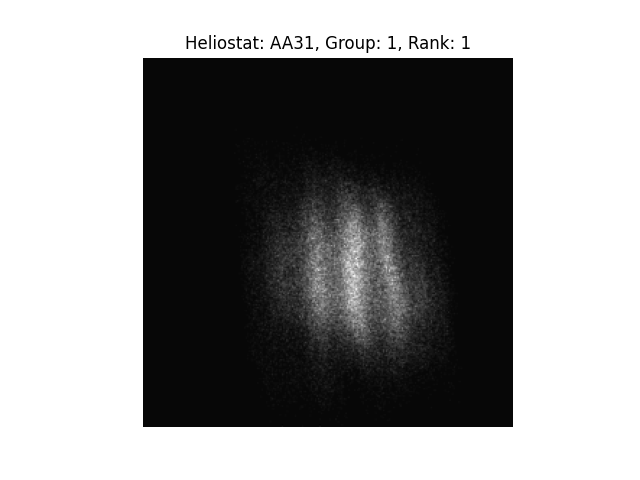
Rank 1 |
Rank 2 |
Rank 0 |
Rank 1 |
Rank 2 |
When multiple heliostats in a scenario focus on the same target, we need to combine their flux image into one resulting
image with get_bitmaps_per_target():
bitmaps_per_target = ray_tracer.get_bitmaps_per_target(
    bitmaps_per_heliostat=bitmaps_per_heliostat,
    target_area_indices=target_area_indices,
    device=device,
)
Since there may also be multiple heliostats in one group, we need to make sure the results from all heliostats are considered in the combined bitmap via:
combined_bitmaps_per_target = combined_bitmaps_per_target + bitmaps_per_target
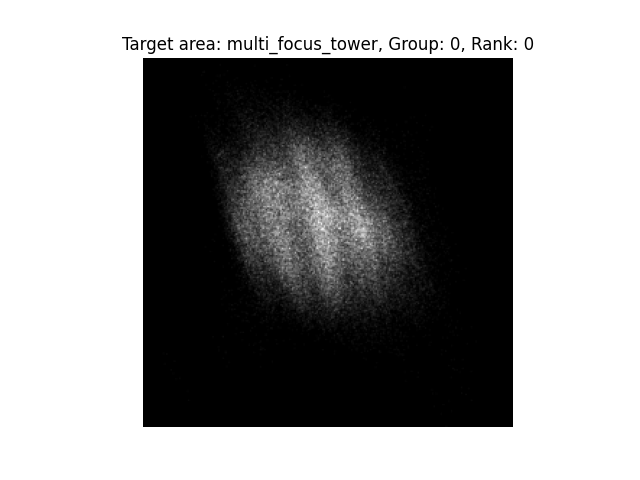
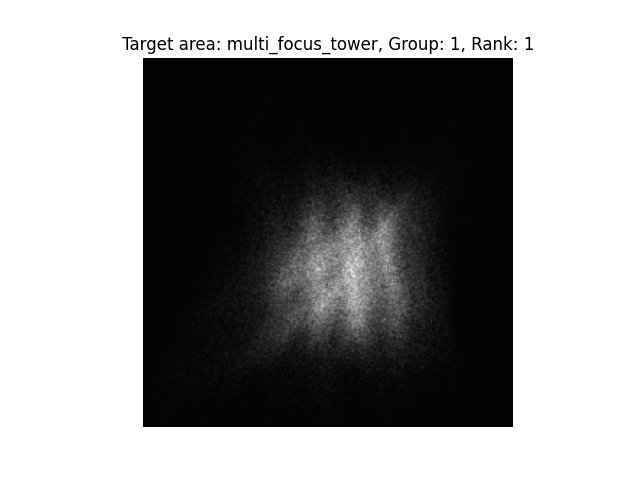
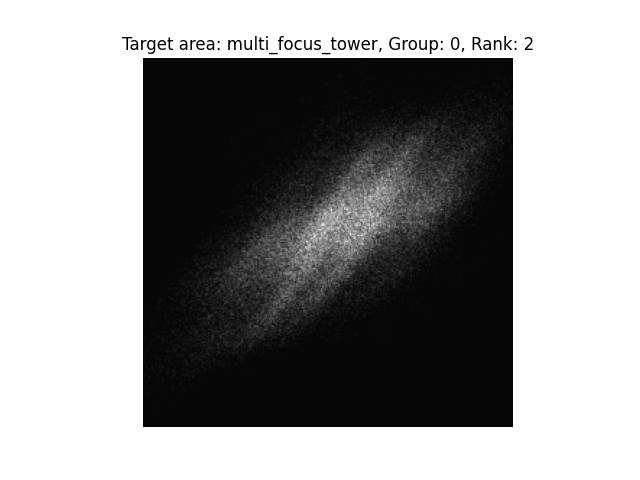
All heliostats in this example aim at the first target area in the scenario, called the multi_focus_tower. As a
result, all bitmaps in the combined_bitmaps_per_target tensor are empty, except the ones at index 0 plotted below:
Rank 0 |
Rank 1 |
Rank 2 |
Since the ranks have not been synchronized yet, each rank initially only has the results it computed locally. For
example, the bitmap on rank 1 is the combined flux of heliostats AA31 and AA39 because both were
computed on that rank. However, neither the ray tracing results within each group nor the combined results across groups
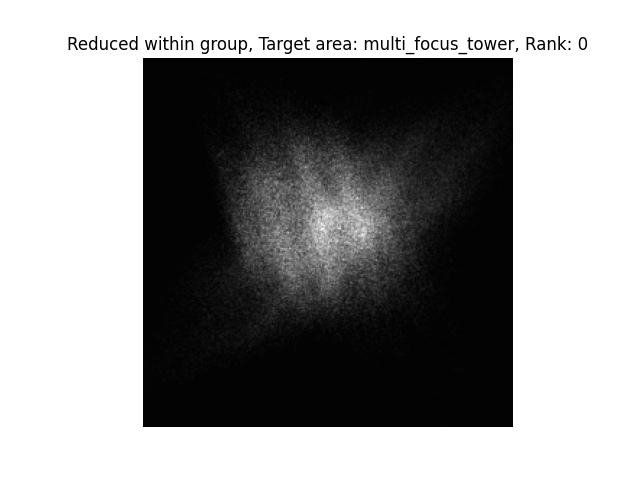
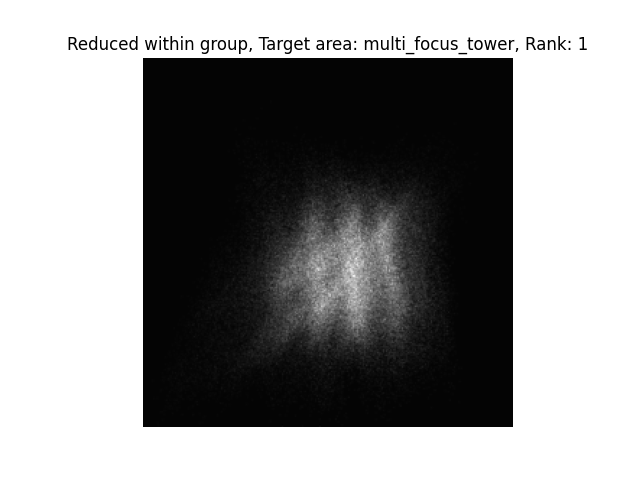
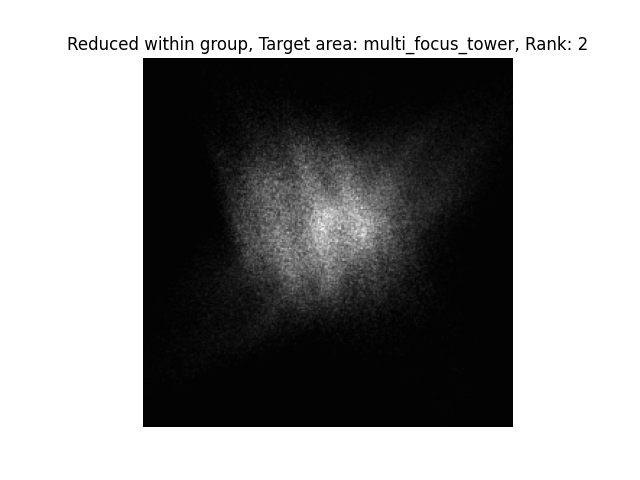
are available globally at this point. To obtain the final bitmap per target, we need to perform an all_reduce.
In principle, one final all_reduce is sufficient, but for the purpose of this tutorial, it is interesting to look at
intermediate results using a nested all_reduce:
if ddp_setup["is_nested"]:
    torch.distributed.all_reduce(
        combined_bitmaps_per_target,
        op=torch.distributed.ReduceOp.SUM,
        group=ddp_setup["process_subgroup"],
    )
This all_reduce is performed per process subgroup, meaning it only reduces the results of heliostats within the
respective group.
Rank 0 |
Rank 1 |
Rank 2 |
In practice, the global all_reduce is sufficient to obtain the final bitmap on each target:
if ddp_setup["is_distributed"]:
    torch.distributed.all_reduce(
        combined_bitmaps_per_target, op=torch.distributed.ReduceOp.SUM
    )
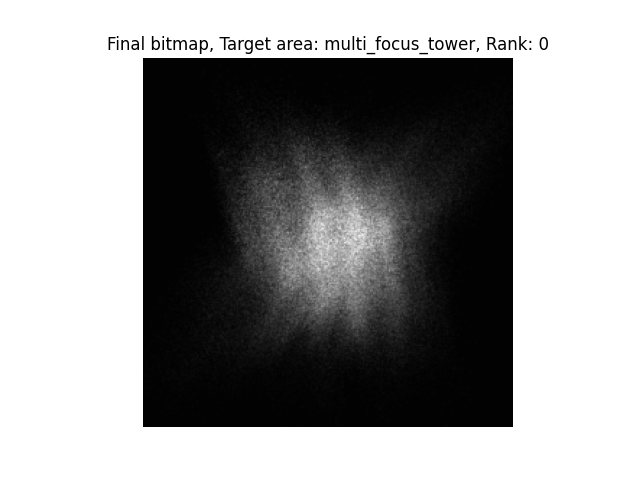
Rank 0 |
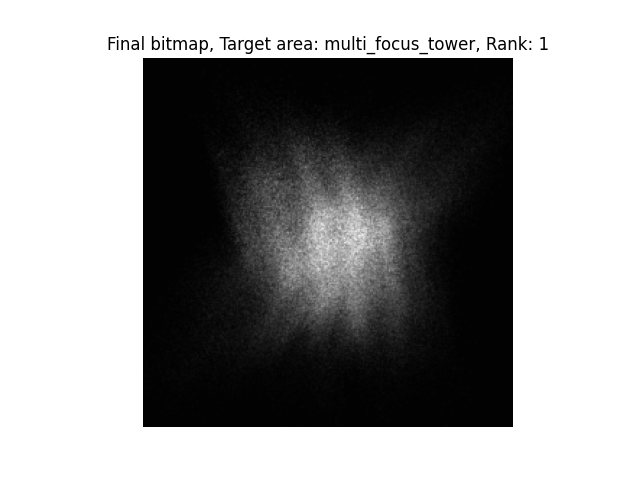
Rank 1 |
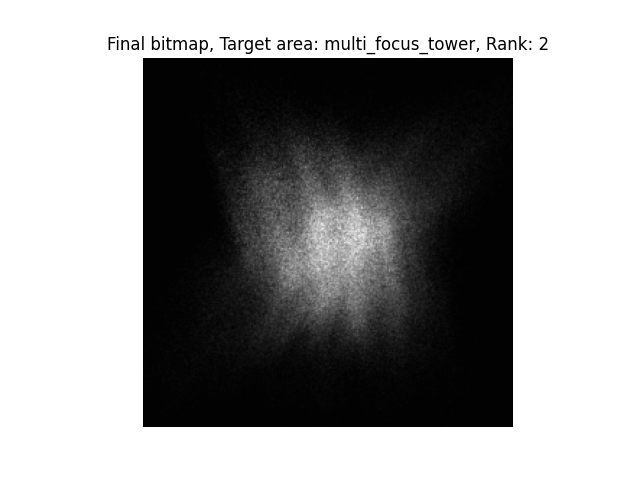
Rank 2 |
Now all ranks are synchronized and we have the final image shared across them. With that we have completed fully
distributed raytracing in ARTIST!
Note
The images generated in this tutorial are for illustrative purposes, often with reduced resolution and without
hyperparameter optimization. Therefore, they should not be taken as a measure of the quality of ARTIST. Please
see our publications for further information.